一、简介
智虾助手 是一款基于 MCP(Model Context Protocol) 协议的轻量级智能助手。它可以充当你的私人助手, 安装非常简单——一条命令 + 一个配置即可搞定。
小巧轻量
单一可执行文件,无需安装运行时
单一可执行文件,无需安装运行时
任意 OpenAI 格式模型
兼容 DeepSeek、GLM、Qwen 等
兼容 DeepSeek、GLM、Qwen 等
多 MCP Server
内置 skill/ subagent/ filesystem,支持扩展
内置 skill/ subagent/ filesystem,支持扩展
多渠道接入
飞书 / 微信ClawBot / QQBot 作为终端接入
飞书 / 微信ClawBot / QQBot 作为终端接入
网页浏览
通过 Playwright MCP 浏览网页、查天气
通过 Playwright MCP 浏览网页、查天气
定时任务
内置定时器,到点自动提醒,比如「周一至周五上午10点提醒我喝水」
内置定时器,到点自动提醒,比如「周一至周五上午10点提醒我喝水」
软件截图
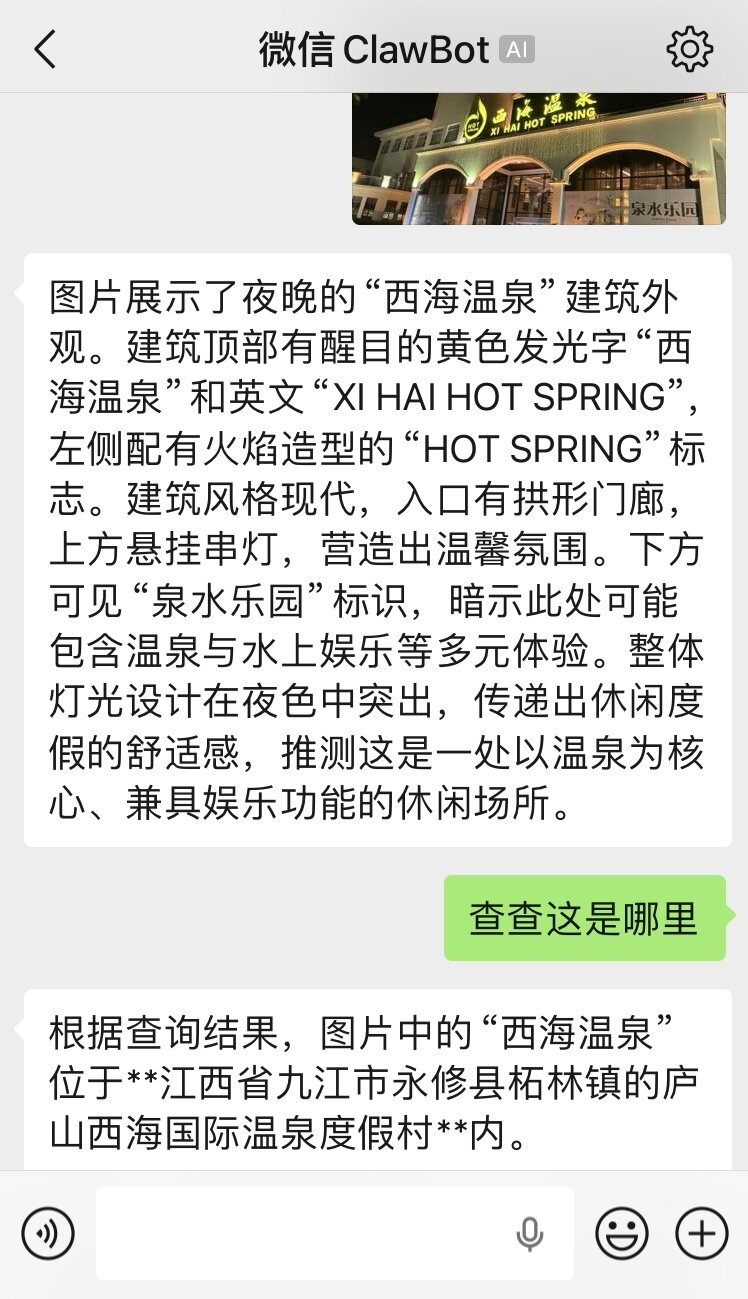
图片识别
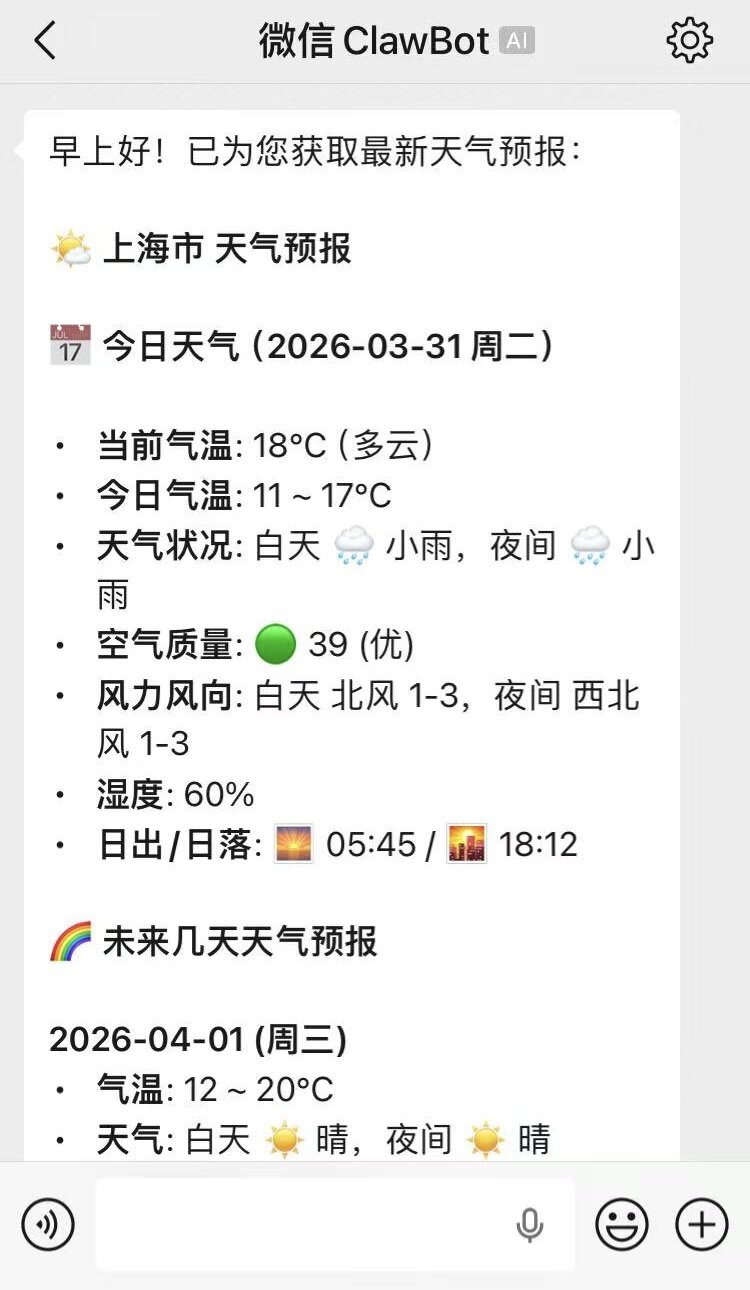
推送天气
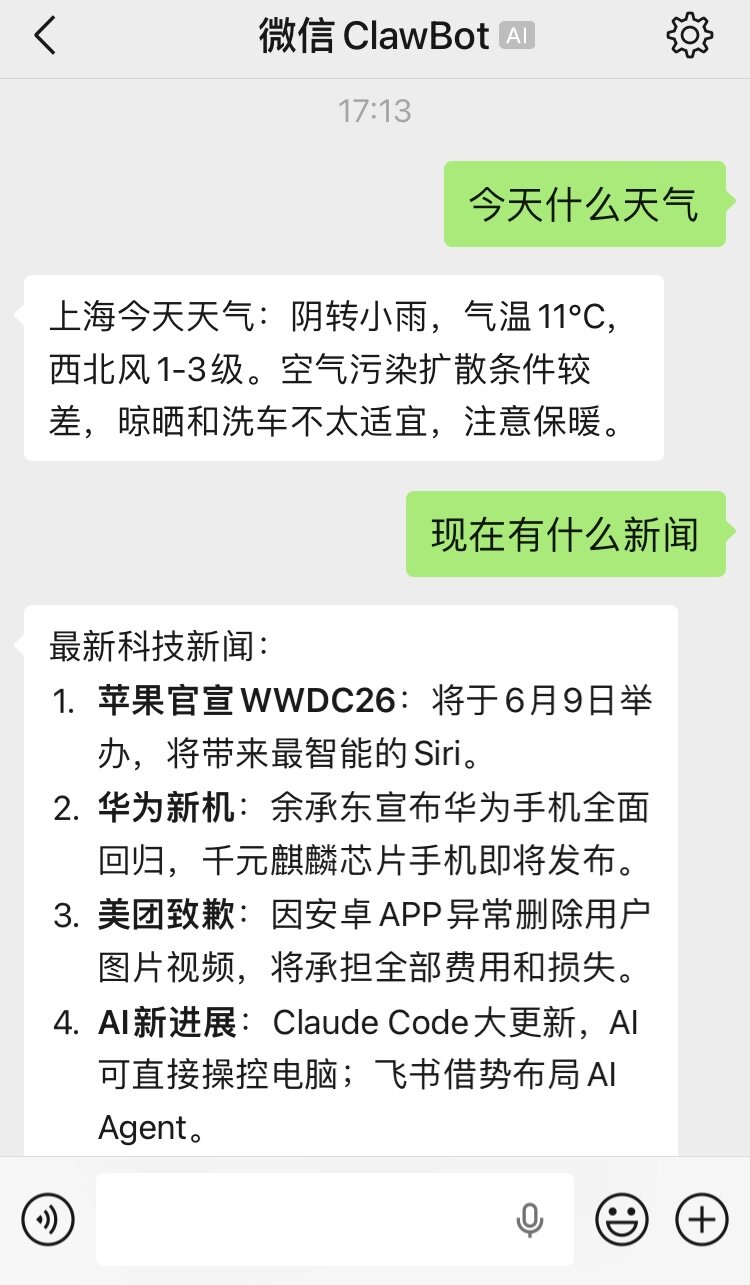
查询新闻
二、软件下载
提供各平台预编译二进制,下载后直接运行,无需安装任何依赖。
| 操作系统 | 架构 | 下载链接 |
|---|---|---|
| Windows | x86_64 | mcp-agent-windows-amd64.exe |
| macOS | x86_64 (Intel) | mcp-agent-darwin-amd64 |
| macOS | ARM64 (Apple Silicon) | mcp-agent-darwin-arm64 |
| Linux | x86_64 | mcp-agent-linux-amd64 |
| Linux | ARM64 | mcp-agent-linux-arm64 |
Windows 推荐使用 PowerShell 或 Git Bash 运行。macOS / Linux 下载后需执行
chmod +x mcp-agent-* 赋予执行权限。
三、快速开始
1
下载
选择对应平台
的可执行文件
2
配置
创建 mcp-agent.toml
填写 API Key 与模型
3
运行
终端执行一条命令
即可开始对话
编写最小配置文件 mcp-agent.toml,仅启用 web 终端 + time MCP Server,
配合本地 Ollama 模型,几分钟即可跑起来体验。
1. 准备模型服务
最简单的方式是使用本地 Ollama:
ollama pull qwen3.5可使用任何兼容 OpenAI API 的在线服务(DeepSeek、Qwen、GLM 等)。
2. 编写最小配置
在工作目录下创建 mcp-agent.toml:
# ===== 最小快速入门配置 =====
[agent]
name        = "my-assistant"
description = "我的私人助手"

[llm]
# 本地 Ollama(默认值,可省略)
base_url = "http://127.0.0.1:11434/v1"
api_key  = "sk-your-secret-key"
model    = "qwen3.5"
stream   = true

[prompt]
system = """
你是用户的私人助手,请按用户指示进行回复,语言尽可能精简。
"""

# Web 终端:浏览器交互
[[terminals]]
type = "web"
host = "127.0.0.1"
port = 8088

[mcp]
[[mcp.servers]]
name        = "time"
description = "获取当前时间时区,查看设置定时任务等"
endpoint    = "time --with-timer"
3. 启动程序
./mcp-agent --config-file /path/to/mcp-agent.toml看到类似下面的日志即表示启动成功:
[INFO] Loaded config from: mcp-agent.toml
[INFO] Initializing Findea MCP Agent v1.0.3 ...
[INFO]   API Base URL: http://127.0.0.1:11434/v1
[INFO]   Model: qwen3.5
[INFO]   MCP Servers: time
[OK]   Fetched N tools from 1 MCP servers
[INFO] Terminal: web (http://127.0.0.1:8088)
[INFO] Web terminal listening on http://127.0.0.1:8088
4. 与 Agent 对话
浏览器打开 http://127.0.0.1:8088, 即可与 Agent 对话。试试问它:
- 「现在几点了?」—— 会调用
timeMCP Server 获取当前时间 - 「5 分钟后提醒我喝水」—— 会设置一个定时任务,到期后提醒你
上面的配置只用了
time 一个内置 MCP Server。程序还内置了
skill、subagent、filesystem、
command、git、nodejs 等 Server,并支持远程 HTTP/SSE Server
与 stdio 子进程。完整能力请继续阅读下文。
四、图形界面配置
如果不想手写 TOML,智虾助手提供了 网页版配置管理界面,浏览器里填表即可创建或更新配置, 同时支持原始 TOML 编辑与语法校验,极大降低入门门槛。
# 启动网页版配置管理界面
./mcp-agent --config-ui

# 指定要管理的配置文件
./mcp-agent --config-ui --config-file /path/to/my-config.toml
启动后浏览器访问控制台输出的地址即可。配置保存后会写入文件,重新运行
./mcp-agent --config-file /path/to/my-config.toml 即可加载新配置。
👉 TOML 配置文件的完整字段说明等技术细节, 请查阅 配置详解。
五、MCP Server 模式
除默认的非 MCP 模式外,程序还支持通过 --mcp 参数将自身作为 MCP Server 对外提供服务:
--mcp agent:将本 agent(含 LLM 与已配置的 MCP 工具)暴露为一个chat工具,供其他 MCP Host 作为子代理调用。该模式下不加载任何 Terminals,也不向控制台输出任何内容; 会话中的 LLM/工具调用/token 用量等事件会通过 MCP progress notification 发送给调用方 (需调用方在请求_meta中携带progressToken)。--mcp hub:将自身作为 MCP Server 对外提供服务,聚合所有配置的 MCP Server 的工具。
# agent 模式:暴露 chat 工具(stdio)
./mcp-agent --mcp agent --mcp-transport stdio

# agent 模式:暴露 chat 工具(HTTP)
./mcp-agent --mcp agent --mcp-transport http --mcp-address 127.0.0.1:8080

# hub 模式(供其他 MCP 客户端通过标准输入输出调用)
./mcp-agent --mcp hub --mcp-transport stdio

# hub 模式(监听网络端口)
./mcp-agent --mcp hub --mcp-transport http --mcp-address 127.0.0.1:8080
两种 MCP Server 模式均复用同一份
mcp-agent.toml 中的 [mcp] 和
[prompt] 配置。